MODEL OVERVIEW / CREATIVE GUIDES
What Is GPT Image 2.6? Release Date, 2.5 vs 2.6 and API
OpenAI released GPT Image 2.6 on November 4, 2026. Compare it with 2.5, learn when to choose Sunburst or Flare, and see where GIFs and the API are available.
What is GPT Image 2.6?
GPT Image 2.6 is a family of OpenAI models that create images from a written brief or revise an image you supply. OpenAI’s November 4, 2026 announcement calls the release Images 2.6 in ChatGPT and Codex. Developers using the Image API choose between two model IDs: Flare and Sunburst.
GPT Image 2.6 vs. 2.5: what changed?
Both generations have a fast Flare model and a Sunburst model for more detailed work. OpenAI describes 2.6 as faster overall, with better consistency across edits. For a product photo, that matters when you change the backdrop but want the bottle’s shape, cap and label to survive several rounds of revisions.
The 2.6 Image API adds animated GIF and SVG output and a complexity control. Think of quality as the level of visual detail and complexity as how much planning the model does for the request. Markup-guided editing, where you indicate the area to change, works with supported models from both generations. See the OpenAI API changelog for the release details.
If you already use 2.5, test 2.6 with a prompt your team uses often. Keep the reference, framing and quality setting fixed. For a photo edit, compare the first result and one follow-up edit. Look at the details you’d have to repair by hand and measure the time to get a usable result, including any retries.
When should you choose Sunburst or Flare?
Start with Flare when you need several drafts quickly, such as three possible layouts for a campaign poster. Try Sunburst when small details matter or an edit needs to preserve the same character, packaging or composition through several rounds. Review the result for things like label text and proportions.
For an edit, give the model one change and a short list of what must stay. For example: “Move the bottle onto a slate counter. Keep the cap, label wording and front-facing camera angle.” If the label is wrong, compare the result with the source photo before asking for a second change.
Can GPT Image 2.6 generate GIFs?
Yes. GIF creation is rolling out in ChatGPT, and the OpenAI Image API supports animated GIF output with both 2.6 models. For a short loop, describe the motion and what stays fixed: “The clay cat blinks once and returns to its starting pose. Keep the camera, scarf and background still.” Check the jump from the last frame back to the first before you share it.
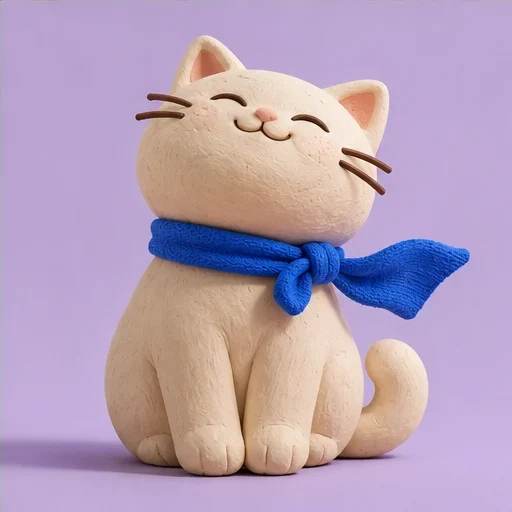
An illustrative still for the clay cat animation brief.
How do you access the GPT Image 2.6 API?
In OpenAI’s Image API, set the model to gpt-image-2.6-flare or gpt-image-2.6-sunburst. Use POST /v1/images/generations for a new image from a prompt or POST /v1/images/edits to revise an input image. Start with the OpenAI Image API guide for request options and supported formats.
Common questions
Can I choose Sunburst in Images26?
Images26 uses a third-party integration with automatic quality. It does not offer a Flare or Sunburst selector.
Can I export an animated GIF or SVG from Images26?
Images26 currently generates still images. If your project needs a GIF or SVG, use an OpenAI workflow that supports that format.
Do I need an OpenAI API key to use Images26?
No. Sign in to Images26 and run a request with your account credits. You need your own OpenAI API access if you’re building a separate integration with the official API.
Try a still image in your browser
To try GPT Image 2.6 without writing code, start with a text prompt or edit a reference photo in Images26. Use the official API if your workflow needs a specific model variant, GIF or SVG output, or programmatic access.
Open the workspace